
Lords Exchange App Download — Same Login, Two Official Routes
The phone on the left mirrors the real Lords Exchange sign-in modal, IST clock and all. Tap Username or Password to sign in with the ID the Lords Exch desk issued, and the Install App pill beneath does what the bottom-right button on the sportsbook does. No ID yet? Register opens the desk chat; a Lords Exchange ID arrives in about five minutes.
Lords Exchange App — Official PWA From the Install App Button or the LordsExch APK
Two things get called the Lords Exchange app, and most punters mix them up. One is the Install App button that sits bottom-right on the Lords Exch sportsbook; tap it and the site installs itself from the browser as a PWA, with no store and no file. The other is an Android APK named LordsExch that the 24x7 desk sends on WhatsApp when asked. Both open the same account. Both show the same Exchange, Live Casino, Slots and Crash tabs. The difference is how they update, how much space they take, and what your phone asks you to allow. This page settles which one to pick, then walks each install step by step.
Lords Exchange App Download — Which Version Fits Your Phone Best
Honest answer first: for most people on Android, the PWA wins. It is the live Lords Exchange site pinned to your home screen, so a price change on the Exchange tab or a new Teenpatti table from the Own studio appears the moment the desk pushes it. Nothing to reinstall. Ever.
The LordsExch APK earns its place in two situations. First, when a phone runs a stripped-down browser (some JioPhone-era Android Go handsets and a few Xiaomi builds with Mi Browser as default) that never shows the Install App button. Second, when a punter wants an icon that survives a blocked address, because the APK build carries its own address list and the Lords Exchange desk refreshes it in the next build. That second point matters more than people think in India, where the .now, .live and .com addresses rotate.
iPhone users get one route only, and it is a good one. Safari saves the Lords Exchange sports exchange to the Home Screen and it behaves like the Android PWA: full-screen, IST clock in the header, Betslip drawer at the bottom. No App Store listing exists and none is coming, so ignore anything with that label.
The rule of thumb the Lords Exch desk gives on chat: Android with Chrome, use the Install App button. Android without Chrome, ask for the APK. iPhone, Add to Home Screen. Same Username, same balance, whichever you choose.
Install the Lords Exchange App on Android Chrome in Under a Minute
This is the route the Lords Exchange sportsbook was built for. Chrome on Android reads the site manifest and offers to install; the Install App button on the screen is a shortcut to that same prompt. Four steps, roughly forty seconds on a Jio 4G connection in Mumbai, a bit longer on patchy signal.
- Open the working address in Chrome. Type the current Lords Exchange address (the desk confirms which one is live today; the /lordsexch-now/ page tracks it too). Check the padlock, then let the home screen load with the Exchange, Live Casino, Slots and Crash tabs visible across the top.
- Find Install App, bottom-right. On the Lords Exch screen it floats just above the chat bubble; on a small phone it can hide behind the Betslip bar untill you scroll up a touch. No button at all? Chrome keeps the identical prompt inside its three-dot menu under Install app, and the Lords Exchange result is the same icon.
- Confirm the prompt. Chrome pops a small sheet with the Lords Exchange name and crown icon. Tap Install. The icon appears on the home screen and in the app drawer inside a few seconds.
- Open from the icon and sign in. The Lords Exchange app launches full-screen, no address bar. Enter the Username and Password the desk gave you. If the Betslip and Open Bets drawer sit at the bottom, the install is complete.
One detail people miss: after step 4, Chrome still keeps the site in its own tabs. That is fine. The Lords Exchange app icon and the Chrome tab share the same login cookie, so you will not be logged out of one by using the other.
Lords Exchange App for iPhone Punters — Four Safari Taps to a Working Icon
A Bandra punter on an iPhone 13 asked the Lords Exch desk last IPL for "the Lords Exchange apk for iOS". That file cannot exist; APK is Android packaging. What he got instead was a forty-second Safari walk-through, and by the second over of MI versus CSK his Lords Exchange icon was on the Home Screen with the Betslip drawer working. Four taps. Written out below so the desk can stop repeating it.
- Open the address in Safari, not Chrome. On iOS only Safari can add a Lords Exch icon that opens full-screen. Chrome for iPhone will just make a bookmark.
- Share, then scroll. With the Lords Exchange home screen loaded, hit the Share square in the Safari toolbar. Add to Home Screen sits a little way down that sheet, below the AirDrop row, so swipe up if the first screen only shows contacts.
- Name it. Safari pre-fills Lords Exchange; some punters shorten it to LE so it fits beside the cricket score app. Tap Add and the crown lands on the Home Screen next to whatever page you were on.
- Open it and sign in. The header shows the IST clock and the Login button exactly as on desktop; the Betslip drawer slides up from the bottom once you tap a price.
Face ID and iCloud Keychain will offer to remember the Lords Exchange Username and Password on the second sign-in. Accept it. It saves the fumble during a live over.
Lords Exchange APK Download — Sideload the Official LordsExch Build Safely
The LordsExch build is a proper Android package with an installer, which means the phone will stop you once and ask a question the Lords Exchange PWA never triggers. That is the price of the built-in address list. The desk on WhatsApp is the only place to collect the file; a Lords Exchange apk offered on a Telegram channel with a "bonus" attached is where the fakes live, every single time.
- Ask the desk for the current build. Message the Lords Exch WhatsApp desk with the words "send LordsExch APK". The desk replies with the file and the build date; if the date is older than a couple of months, ask again, a newer one probably exists.
- Expect the unknown-apps warning, and do not panic. Lords Exchange is not on the Play Store, so the phone treats the LordsExch file as a stranger the first time. The warning has a Settings shortcut; use it, flip the switch beside WhatsApp (or beside Chrome, if the desk link was saved there), come back to the chat and tap the file a second time.
- Install and wait for the tick. The LordsExch installer runs for ten to twenty seconds. Play Protect may scan it; that is normal for any sideloaded package and clears on its own.
- Turn Unknown sources back off. Go into the same Settings screen and disable it. The Lords Exchange app is already installed and does not need it any more.
- Open, sign in, check the drawer. Same Username and Password. Same Betslip and Open Bets tabs at the foot of the screen.
Correction to something the desk sometimes says loosely: the APK is not "the official app" in the store sense, because there is no store. It is an official wrapper around the same Lords Exchange sports exchange, built for phones that cannot use the Install App route.
Lords Exchange App PWA vs APK — the Honest Side-by-Side
Punters ask the Lords Exch desk this daily, so here is the comparison without salesmanship. Neither option changes odds, markets or withdrawal time (still 15-45 minutes). Only the plumbing differs.
| Question | Lords Exchange PWA (Install App button) | LordsExch APK |
|---|---|---|
| Where it comes from | The live site itself, via Chrome or Safari | A file the Lords Exchange desk sends on WhatsApp |
| Storage used | A shortcut plus a small browser cache | A full package that sits in the app list |
| Updates | Automatic on next open; nothing to do | Manual: ask the desk for the next build and reinstall |
| Permissions asked | None beyond the browser | Allow from this source once during install |
| Works on iPhone | Yes, through Safari | No |
| Survives a blocked address | No, reinstall from the new address | Usually, the build carries its own address list |
| Login, Betslip, Open Bets, Live Casino tabs | Identical | Identical |
| Play Store or App Store | Not listed | Not listed |
My own view, having watched both on desk phones for years: the Lords Exchange PWA fails less. The APK's one genuine advantage is the built-in address list, and the /lordsexch-now/ page covers the same ground for PWA users in thirty seconds.
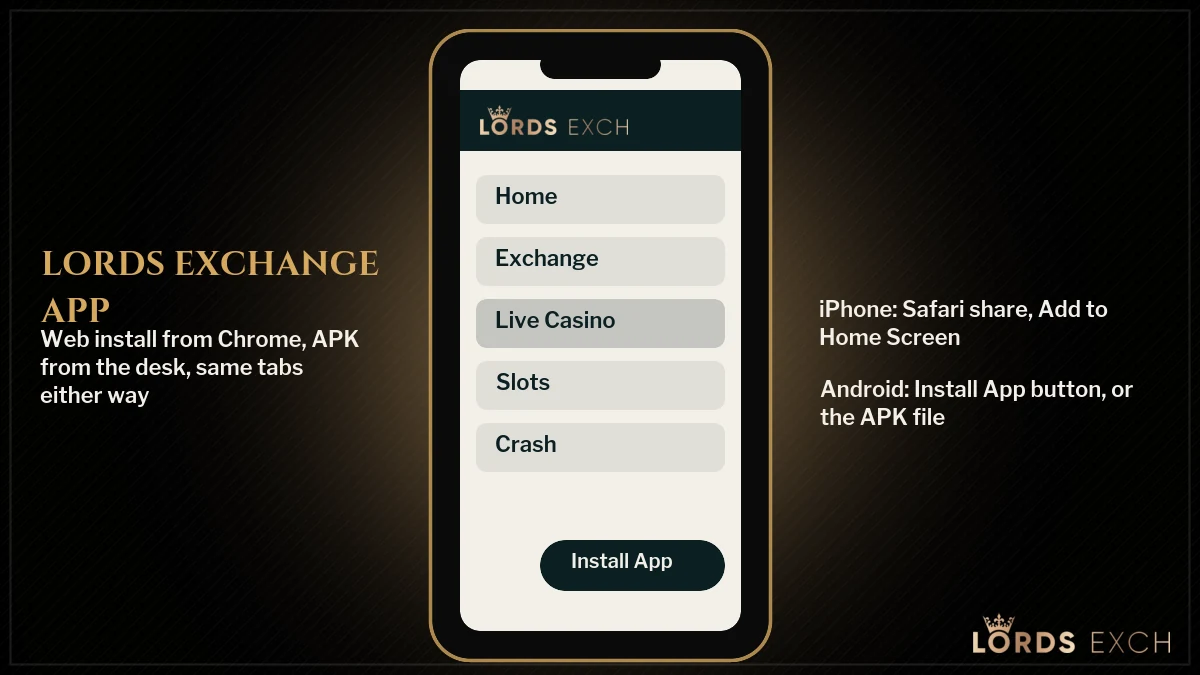
Inside the Lords Exchange App — Every Tab You Get on the Web, Nothing Cut
A cut-down mobile version would be a fair worry. It is not the case here. The Lords Exchange app is the full sports exchange rendered for a phone, and the layout follows the same order as desktop.
Exchange tab in the Lords Exchange app
Cricket first, then Football, Tennis, Horse Racing, Greyhound, Kabaddi and the long tail down to Politics and Darts. Tap a match, tap a price, and the Betslip slides up.
Live Casino tab on Lords Exch
Provider filters across the top: Own, Premium Casino, Tembo, CreedRoomz, Evolution, Ezugi and Red Carat. The Own studio holds the Teenpatti family, Teenpatti 1Day, 20-20, Instant, Muflis, VIP.
Slots and Crash in the Lords Exchange app
Crash is where AVI, JetX, PlinkoX and TowerX live. Slots opens the reels catalogue. Both load in the same window; no separate app, no second login.
Betslip and Open Bets drawer
Two tabs at the bottom of every Lords Exchange screen. Betslip shows what you are about to place; Open Bets shows what is matched and unmatched. The counts in brackets update live.
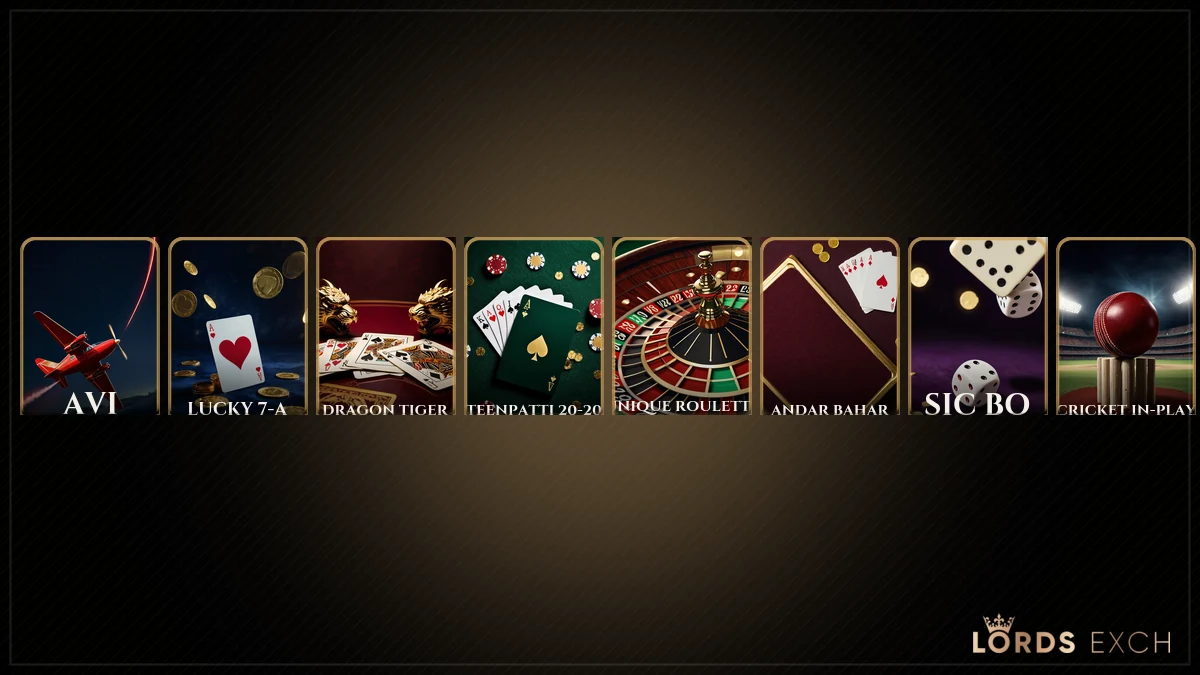
The header keeps the IST clock (UTC +5:30) and the Login button. The Popular strip, Lucky Chicken Crossing, Unique Roulette, Sic Bo, Lucky 7-A, Casino Hold'em, Poker 1 Day, is one swipe below the sports list, the same as on lordsx.com in a desktop browser.
Lords Exchange App Updates — Why the PWA Refreshes Itself and the APK Does Not
A PWA is not really software on your phone. It is a saved doorway. Every time you open the Lords Exchange app icon, the browser engine underneath fetches the current site, so whatever the the desk changed overnight (a new Evolution table, a moved Crash tab, a renamed market) is already there. You do nothing. There is no version number to care about.
The LordsExch APK is different. It is a package with a build date, and the address list and interface inside it are frozen at that date. When Lords Exchange changes something on the server side you still see it, because the APK loads the live sportsbook inside its shell, but a change to the shell itself (the icon, the built-in address list, the splash screen) needs a new file. The desk announces new builds on WhatsApp. Ask every month or two.
One more habit worth keeping. Before a big IPL evening, open the Lords Exchange app once around 6 pm IST, let it refresh, and sign in. That way the icon is already pointing at the live address when the toss happens at 7:00 and the first over goes in-play, instead of you discovering a dead domain with the Betslip open and the price moving. Ninety seconds of preparation, roughly. It is the single most common piece of advice the Lords Exch desk gives on match days, and honestly the one most ignored.
Quick check for either version: the © line at the very bottom of the Lords Exchange screen reads 2016-2026. If you see an older year, you are looking at a cached page or a stale copy. Pull down to refresh, or reinstall.
Lords Exchange App Size and Permissions — the Short, Plain Version
Lords Exchange PWA: takes the space of a shortcut and whatever Chrome or Safari caches for the site, which is small enough that a 32 GB phone will never notice. Asks for no permissions of its own. LordsExch APK: a full package that shows up under Settings, Apps. Asks for the one-time Allow from this source toggle at install and then whatever the browser shell inside it needs to render the sportsbook. Neither Lords Exchange version asks for contacts, SMS or location, and if a build you were sent does ask for those, do not install it and tell the Lords Exch desk.
That is the whole Lords Exchange app permissions story. No long lecture needed.
Lords Exchange App Not Working? Fixes for Install, Blank Screen and Old Version
Most Lords Exchange app complaints that reach the desk are one of the five below. Try these in order before messaging; three of them fix themselves in a minute.
- Install App button missing. You are on a browser that cannot install PWAs, or the address you opened is not the live Lords Exchange address. Switch to Chrome (Android) or Safari (iPhone) and confirm the address on /lordsexch-now/. Still missing? Ask the desk for the APK.
- Icon opens a blank screen. Usually a half-loaded cache after a network drop. Close the Lords Exchange app fully, reopen, pull down to refresh. If it stays blank, uninstall the icon and install again from the current address.
- APK says "App not installed". An older LordsExch build is still on the phone with a different signature. Uninstall the old one first, then run the new file the desk sent.
- Old version, markets not loading. The address baked into the icon has been blocked in India. Get the live address, reinstall the Lords Exchange PWA from it, and delete the dead icon so you do not tap it again during a match.
- Login works in Chrome but not in the app. Clear site data for the Lords Exchange address in Chrome settings, then sign in once in the app. You should recieve the same Betslip drawer straight away.
Anything beyond this list, screenshot the screen and send it to the Lords Exch desk on WhatsApp. Replies come round the clock, and a reinstall walk-through takes about two minutes on chat.
Lords Exchange App Download Questions the Desk Answers Every Day
How do I download the Lords Exchange app?
Chrome on Android is the quickest route. Load the live Lords Exchange address, find the Install App button bottom-right, tap it, and accept the Chrome sheet; the crown icon sits on your home screen within seconds. Android phones without Chrome can ask the Lords Exchange desk for the LordsExch APK on WhatsApp instead.
Is there a Lords Exchange APK for Android?
Yes. An Android APK named LordsExch circulates, and the Lords Exchange desk sends the current build on WhatsApp when a punter asks for it. Install it only from that chat, allow Unknown sources for Chrome or WhatsApp once, and sign in with the same Username and Password you use on the web address.
Is the Lords Exchange app safe?
Yes, provided you take it from the right place. The Lords Exchange PWA never leaves the browser, so nothing foreign runs on your phone and every open loads the current site. For the LordsExch APK, the only trusted source is the Lords Exchange desk on WhatsApp; a build from a Telegram forward or a download page has no place on your phone.
Does the Lords Exchange app work on iPhone?
Yes, and Safari is the only route on iPhone. From the Lords Exchange address tap Share, then Add to Home Screen, then Add; the crown icon then launches the complete Lords Exch sportsbook, Live Casino provider filters included, with the IST clock in the header. Nothing sits in the App Store, and an iPhone APK is not a real thing.
Why is the Lords Exchange app not opening?
Nine times out of ten the saved Lords Exchange address has been blocked in India, so the icon points at a dead domain. Ask the 24x7 desk for the live address, install the PWA again from that address, and remove the old icon. A blank screen after login usually clears with a pull-down refresh.
Lords Exchange App and the Rest of the Lords Exch Keyword Family
Lords Exchange app, lordsexch app and the download searches
The lords exchange app search and its shorter twin lordsexch app both land here, along with lords exchange app download, lords exchange apk and lords exchange apk download. All five describe the same two routes: the PWA behind the Install App button and the LordsExch APK the desk sends. Whichever you install, the lords exchange login is unchanged, and a lordsexch login password issued by the desk works inside the app exactly as it does on the web. If you are still waiting on a lords exchange login id and password, the lords exchange id page explains how the lordsexch id is issued, how lordsexch sign up works on WhatsApp, and how a lords exchange demo id differs from a funded lords exchange betting id or lords exchange cricket id.
Addresses, admin and the questions people ask about Lords Exch
The app points at whichever address is live, so the lordsexch now, lordsexch now login and lords exchange now searches matter to app users too; the same goes for www lords exchange com, lordsexch com, https lordsexch com, www lordsexch com and lordsexch com m login, which are all ways of typing the older .com door. The lords exchange admin, admin lordsexch, lordsexch admin login, lords exchange admin login and lordsexch com admin searches belong to agents, not punters, and the admin page covers that side. For a live person, the lords exchange whatsapp number and lords exchange contact number are the same 24x7 desk that sends the APK. Punters weighing up lords exchange real or fake, looking for a lords exchange center, or simply wanting lords exchange cricket prices on the Exchange tab will find lords exchange, lords exch and lordsexch all describe one sportsbook, one ID, one app.
Searches that bring punters to the Lords Exchange app
- lords exchange app
- lordsexch app
- lords exchange app download
- lords exchange apk
- lords exchange apk download
- lords exchange app kaise download kare
- lordsexch apk latest version
- lords exchange app login
- lords exchange app for iphone
- lordsexch now app